
Product tour
From signup to everyday work.
Twenty short steps — how DentOrd looks from first login to dashboard, calendar, and billing.
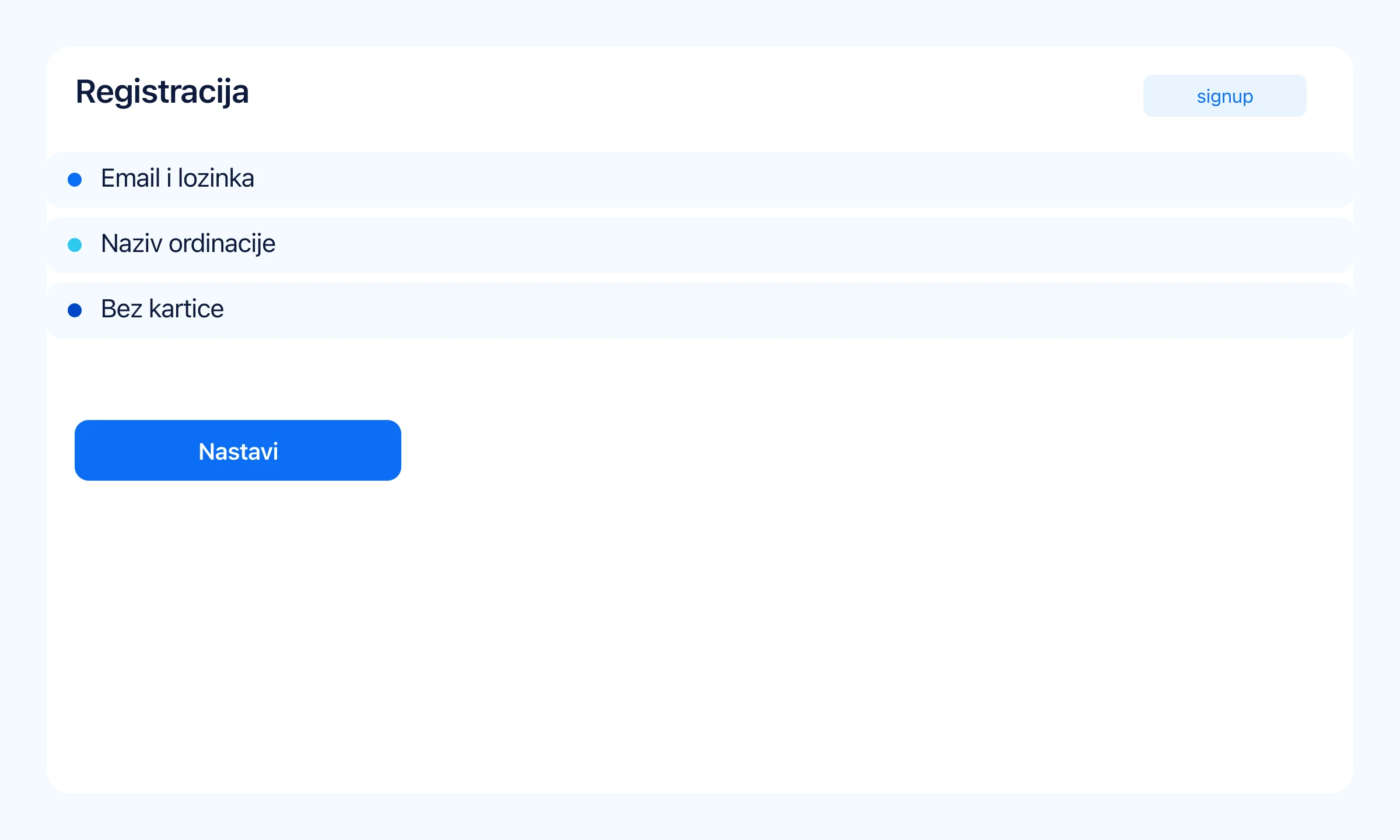
Registration
~3 min- 1
Start
Register your clinic — no card
Email, password, clinic name and owner. You get full Professional until the end of 2026.
- 1Signup form — no card required
- 2Clinic name becomes your workspace
app.dentord.com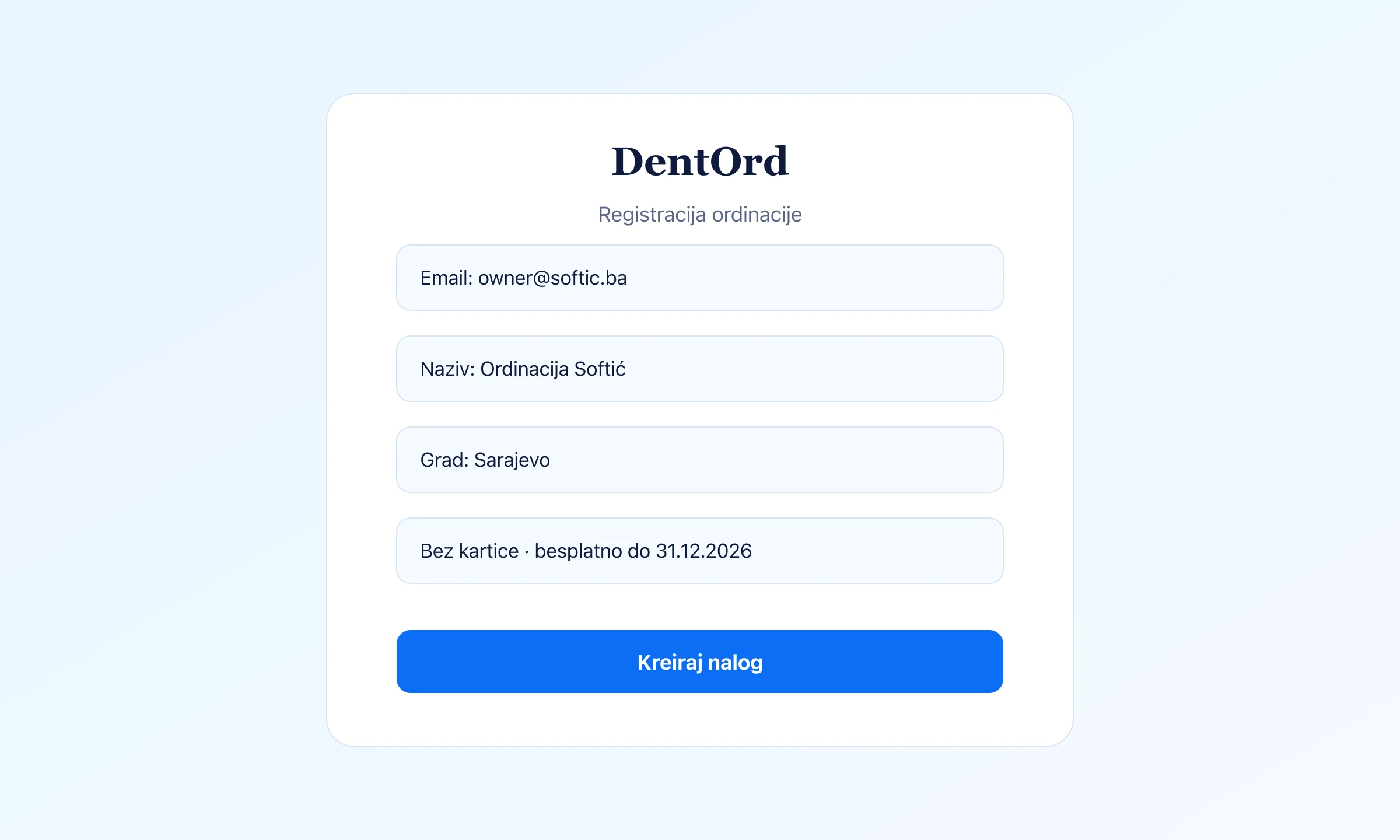
- 2
Start
Confirm email and sign in
After confirmation you enter the app with email and password — ready for the next step.
The confirmation link arrives in your inbox; without it the account stays inactive.
app.dentord.com - 3
Start
Owner authenticator (2FA)
We protect the owner account with an authenticator app on your phone — not SMS. That keeps the account and patient data safe even if someone learns the password. Required only for the owner; doctors and reception do not need it.
- 1Have your phone ready and a free app (e.g. Google or Microsoft Authenticator)
- 2After first sign-in you scan a QR and enter a 6-digit code (~30 s)
- 3Only then do you reach onboarding and clinic setup
app.dentord.com
Clinic setup
~5 min- 1
Onboarding
Basics and working hours
In three onboarding steps you set address, timezone, and clinic hours.
- 1Europe/Sarajevo by default
- 2Hours by weekday
app.dentord.com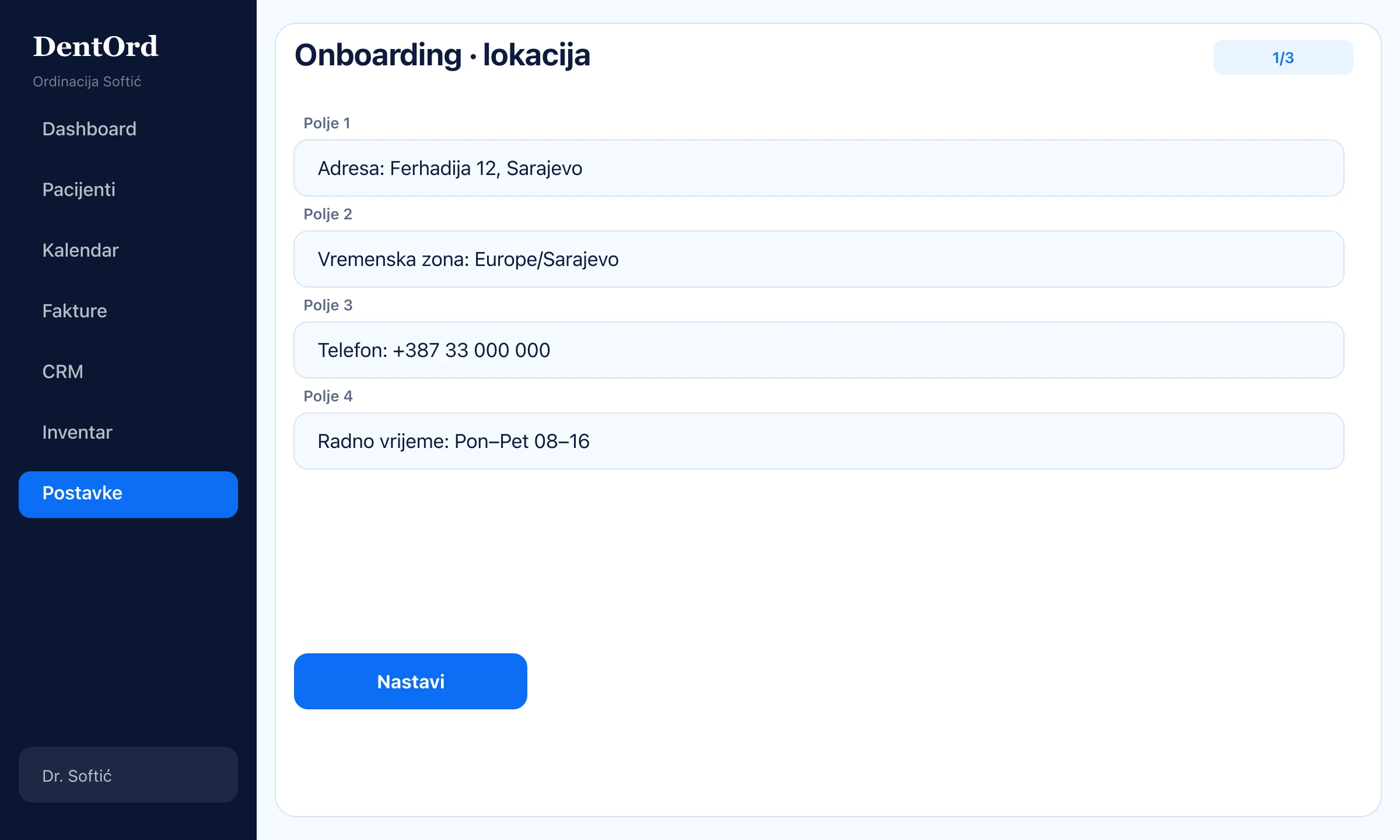
- 2
Onboarding
Service price list
Add services manually or import CSV. Prices in EUR with VAT — ready for invoices.
- 1Manual entry or CSV import
- 2EUR + VAT per line
app.dentord.com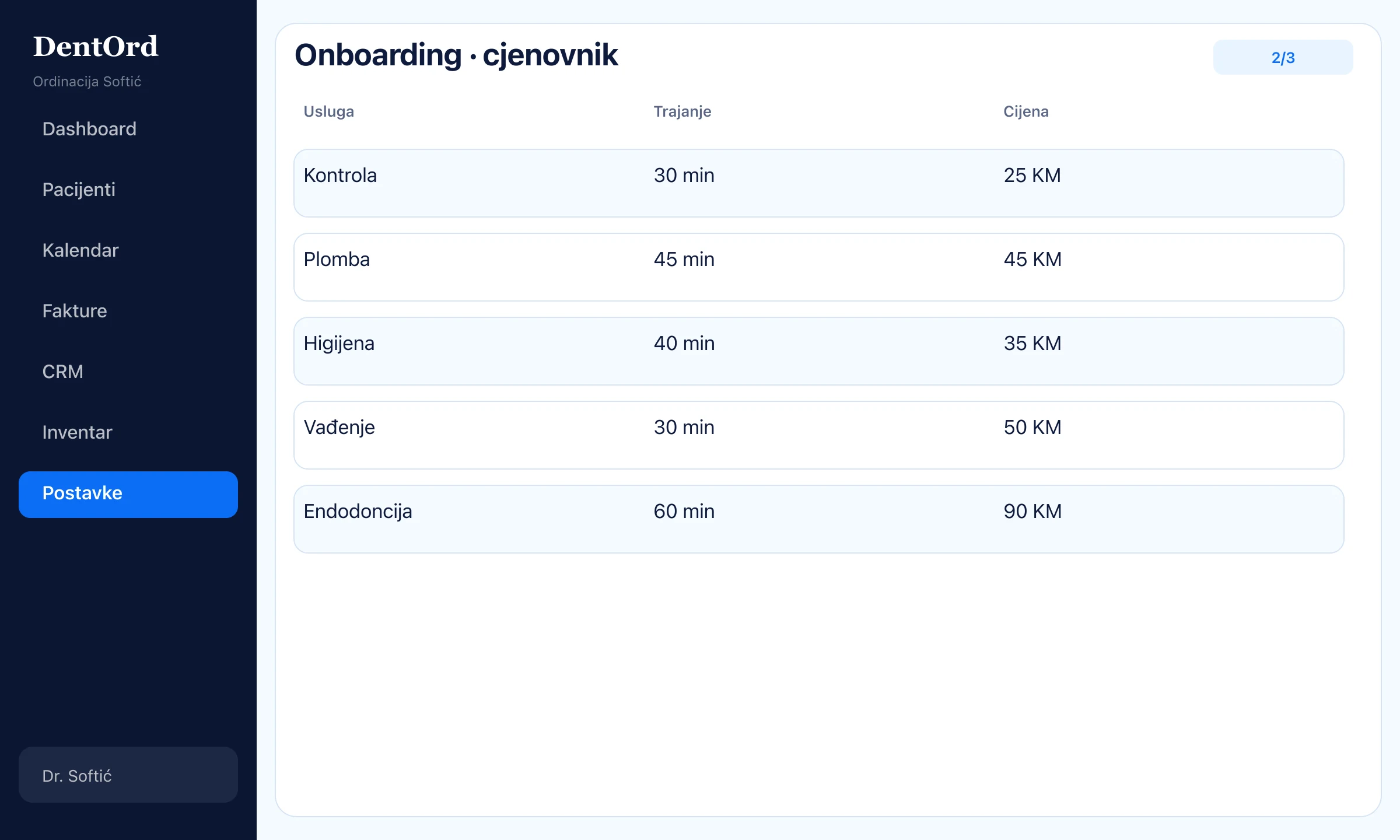
- 3
Onboarding
Invite your team
Doctors and reception get an email invite — each with their own role and permissions.
- 1Invite link in the inbox
- 2Role defines what they see
app.dentord.com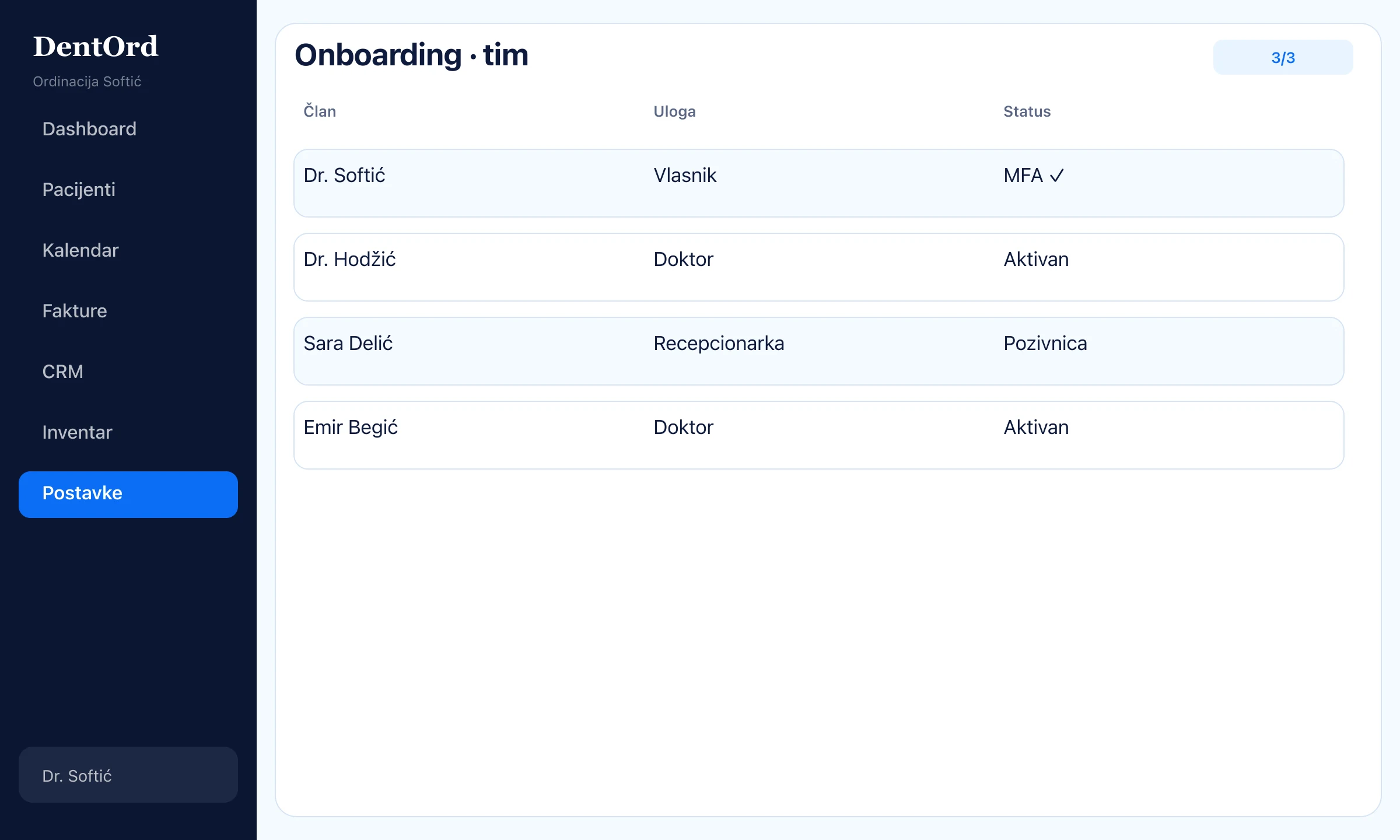
First patient
~3 min- 1
Chart
New patient in minutes
Contact, medical history, and allergies on one form — no paper charts.
- 1Name, phone (+387), email
- 2Allergies and notes visible immediately
app.dentord.com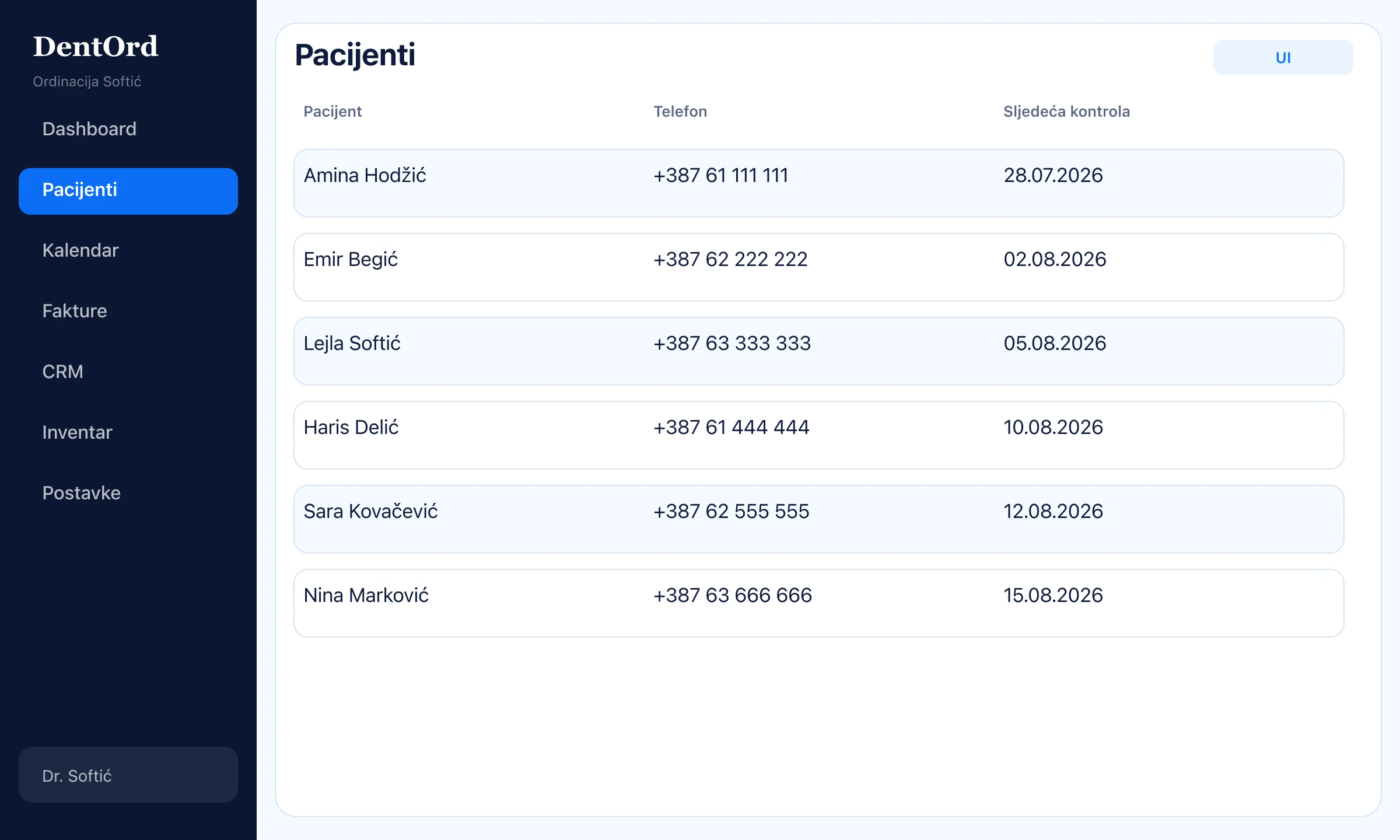
- 2
Chart
Chart: documents and X-rays
Everything that belongs to the patient — consents, PDFs, and images — in one place.
- 1Documents in the chart
- 2X-ray gallery with history
app.dentord.com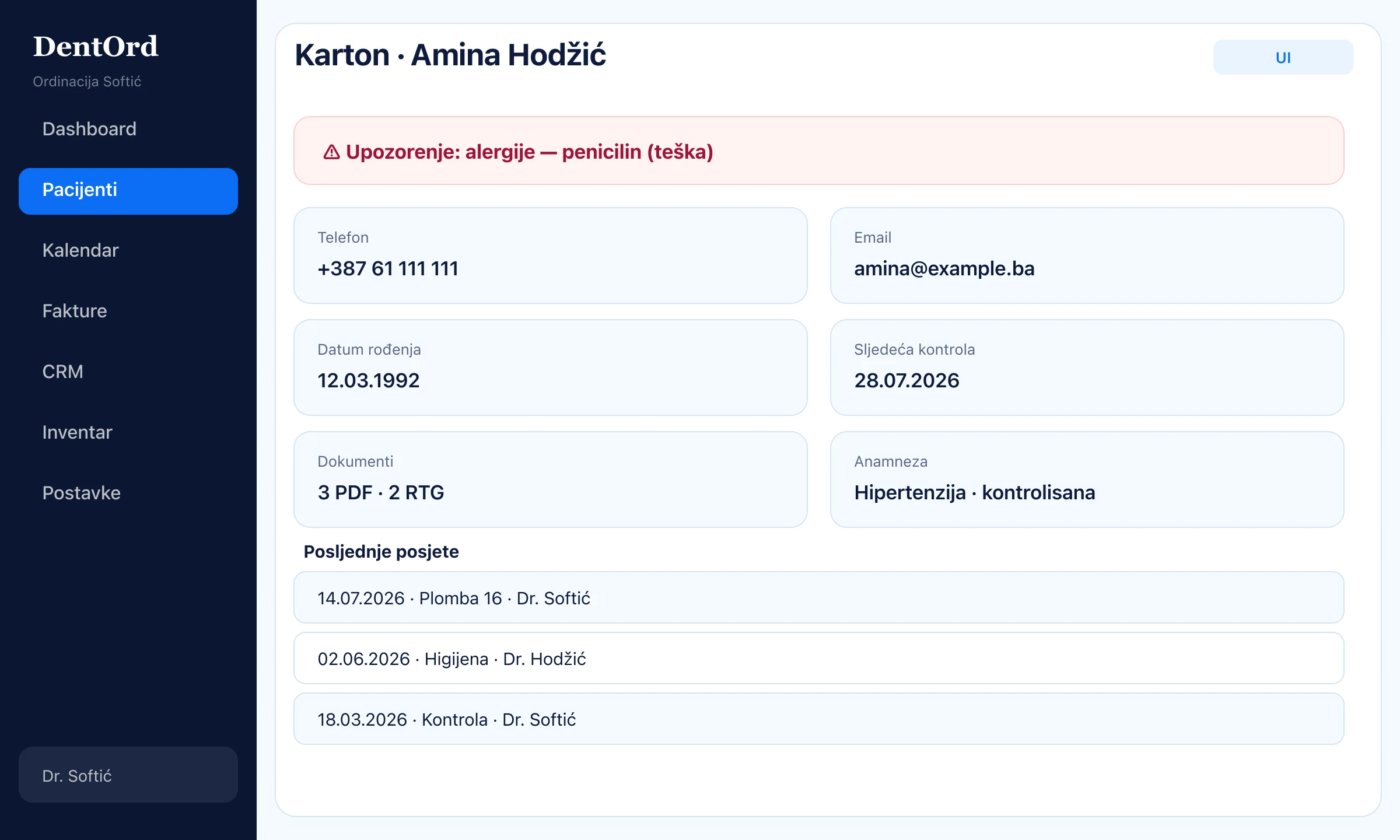
- 3
Chart
Odontogram (FDI)
Click a tooth → surface status. Treatment history stays tied to that tooth.
- 1Map 11–48
- 2Status by surface
- 3History per tooth
app.dentord.com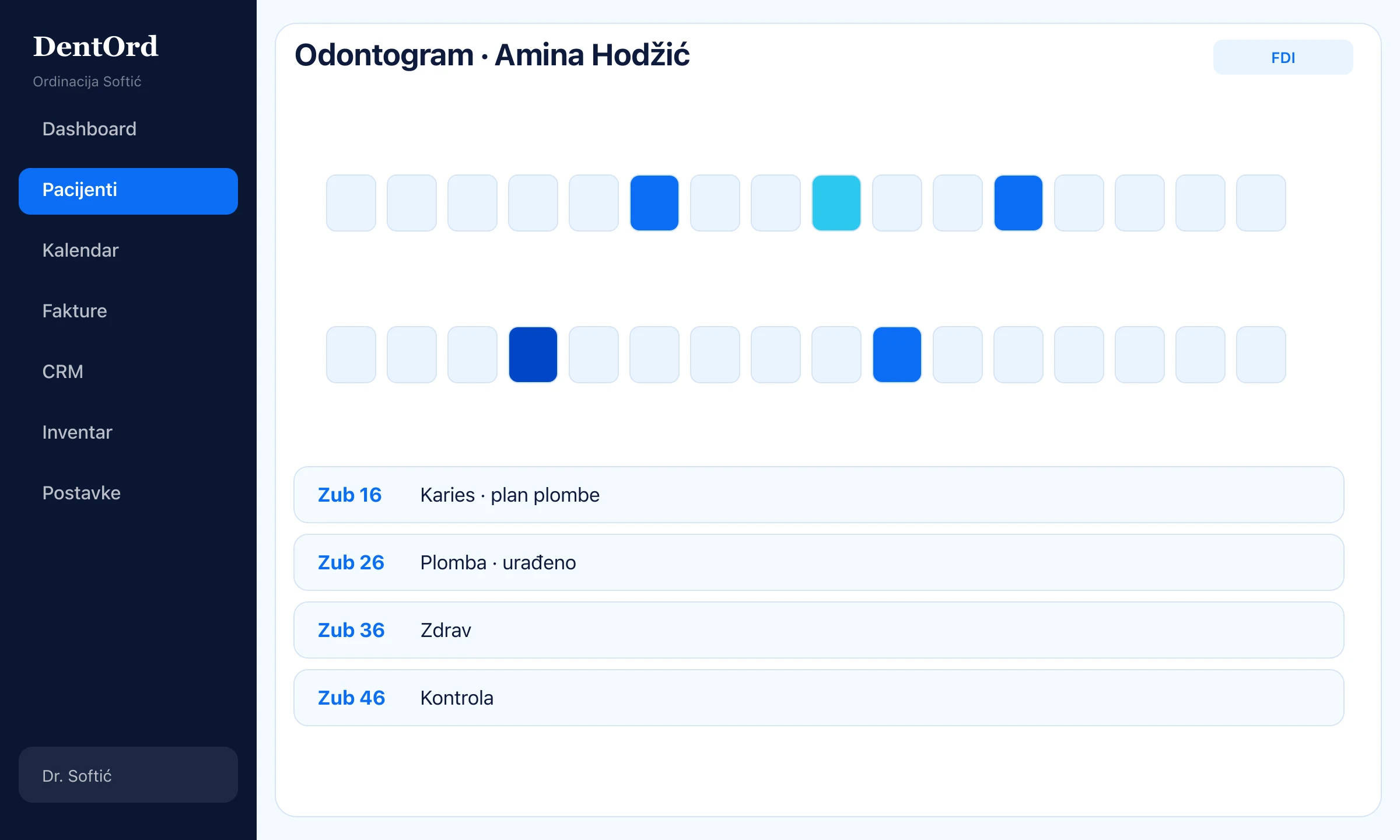
- 4
Chart
Treatment plan with prices
Items, statuses, and amounts — patients always know what is next and what it costs.
- 1Priced line items
- 2Status: proposed / in progress / done
app.dentord.com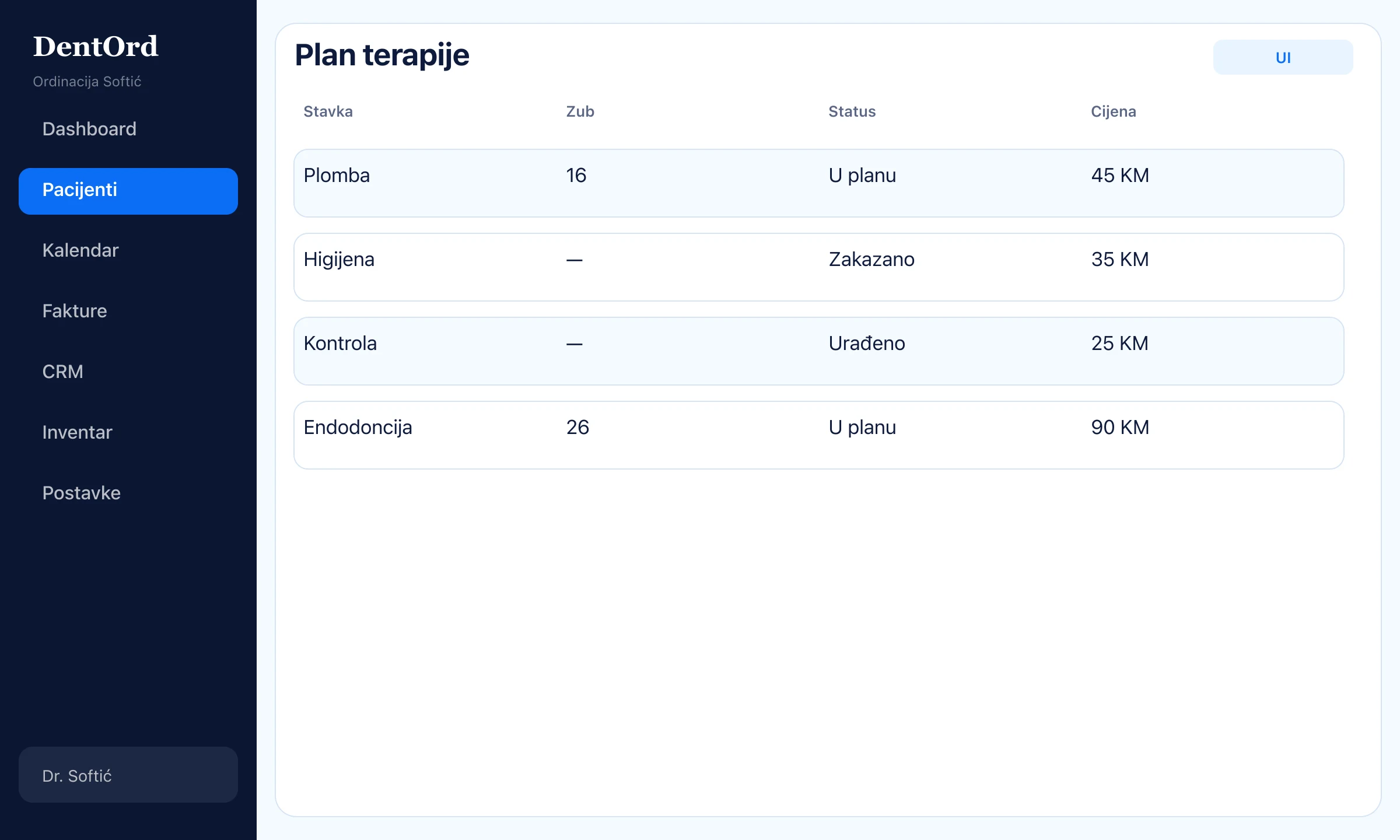
Appointments
~2 min- 1
Calendar
Calendar by doctor
Day or week, filter by doctor, new appointment in a few clicks.
- 1Week view
- 2New appointment with patient and service
app.dentord.com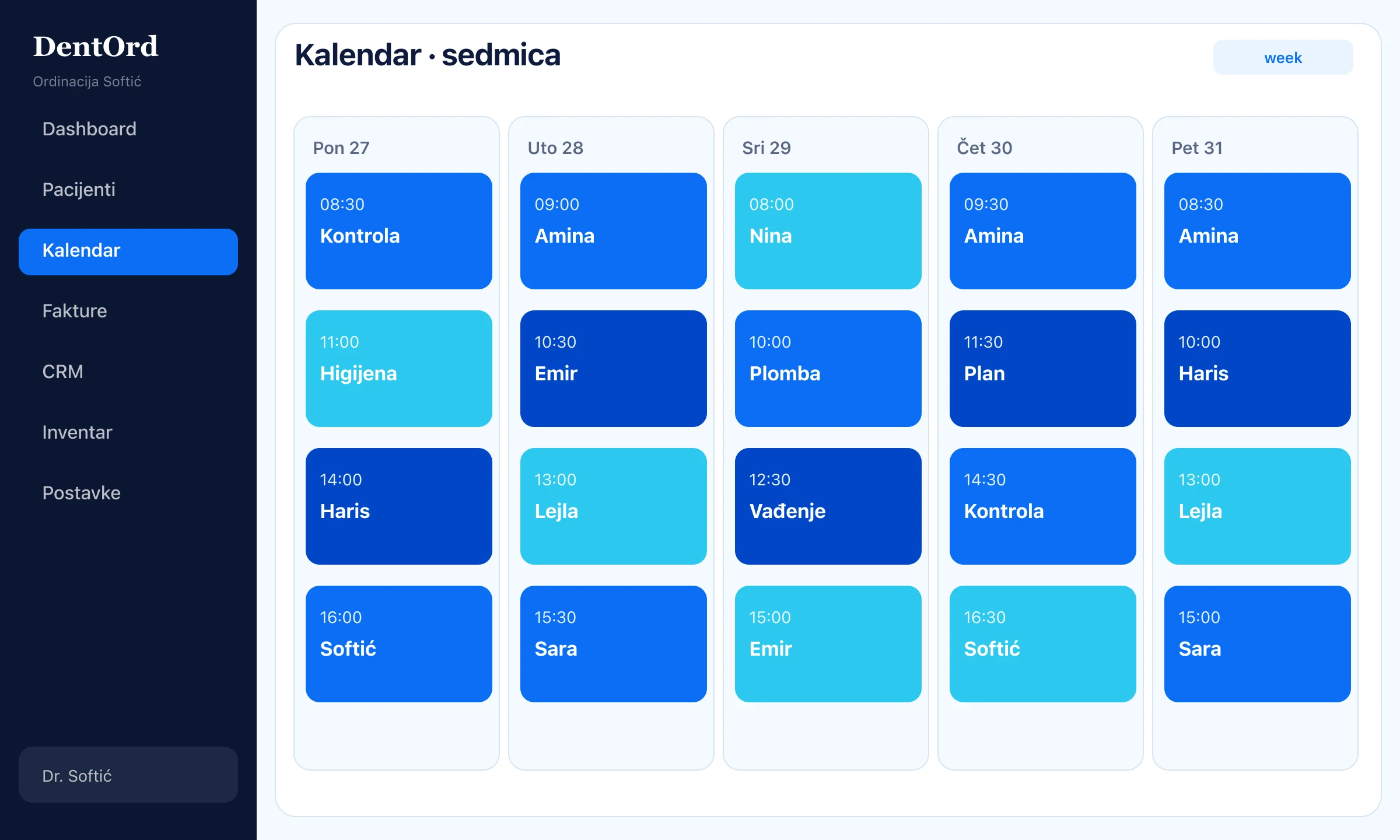
- 2
Calendar
Automatic email reminder
Patients get a reminder before the visit — fewer no-shows, fewer phone calls.
Templates in your language, with clinic branding (Pro).
app.dentord.com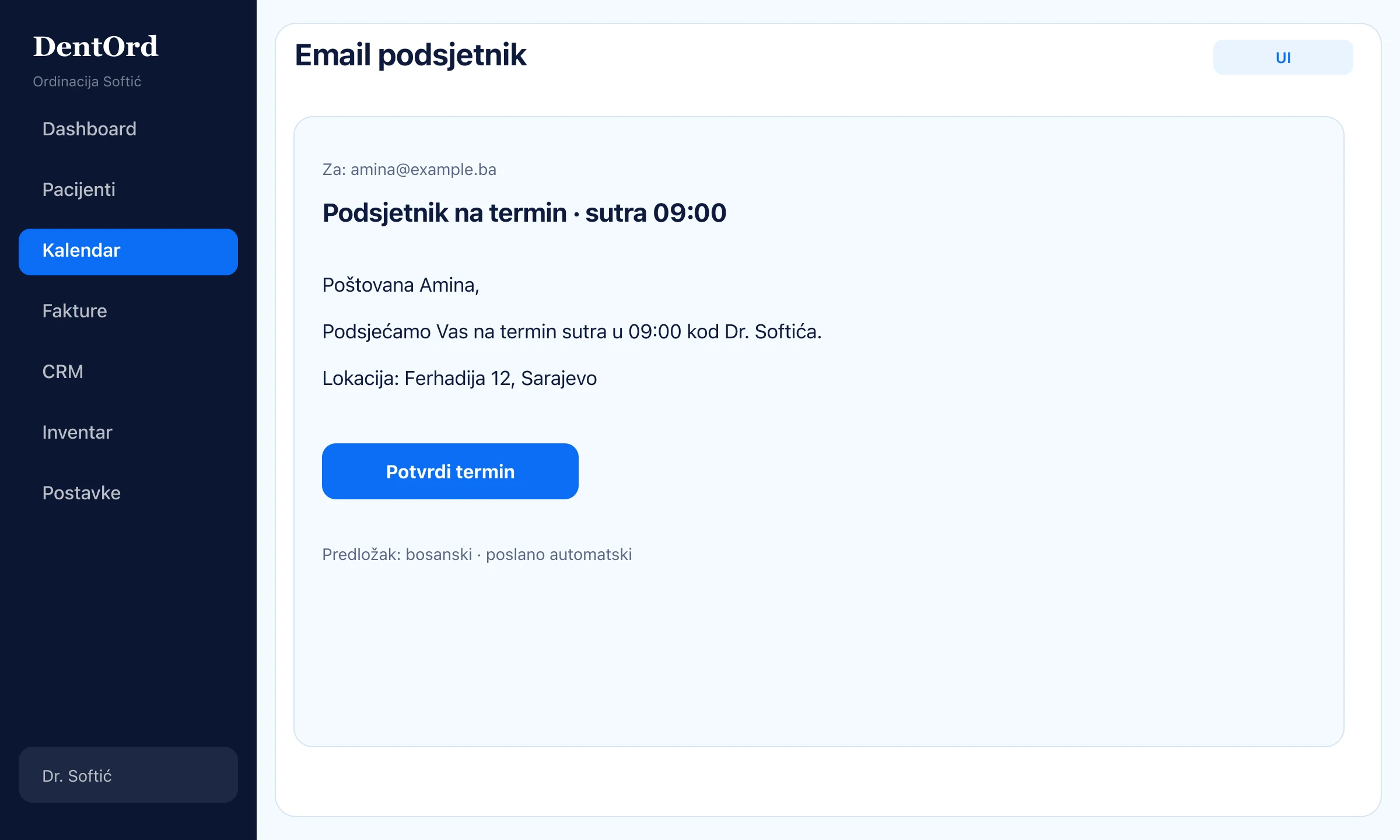
- 3
Calendar
Waitlist when someone cancels
Cancelled slot → waitlist suggests a replacement. Reception confirms in a few clicks.
- 1Automatic suggestion
- 2Confirm from waitlist
app.dentord.com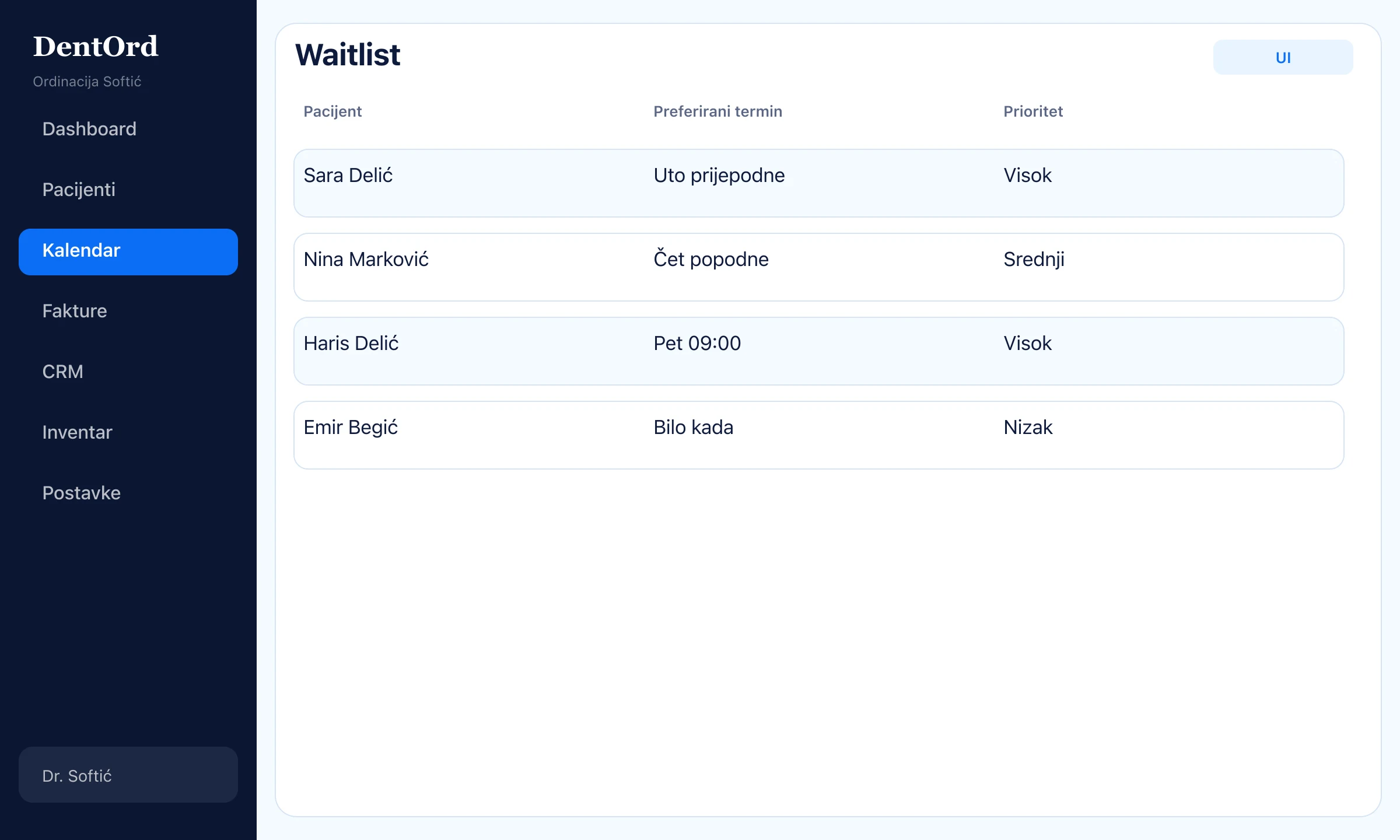
Billing
~3 min- 1
Finance
Invoice from treatment
From a finished treatment you generate an EUR invoice with VAT and clinic branding.
- 1Lines with VAT
- 2PDF ready to send
app.dentord.com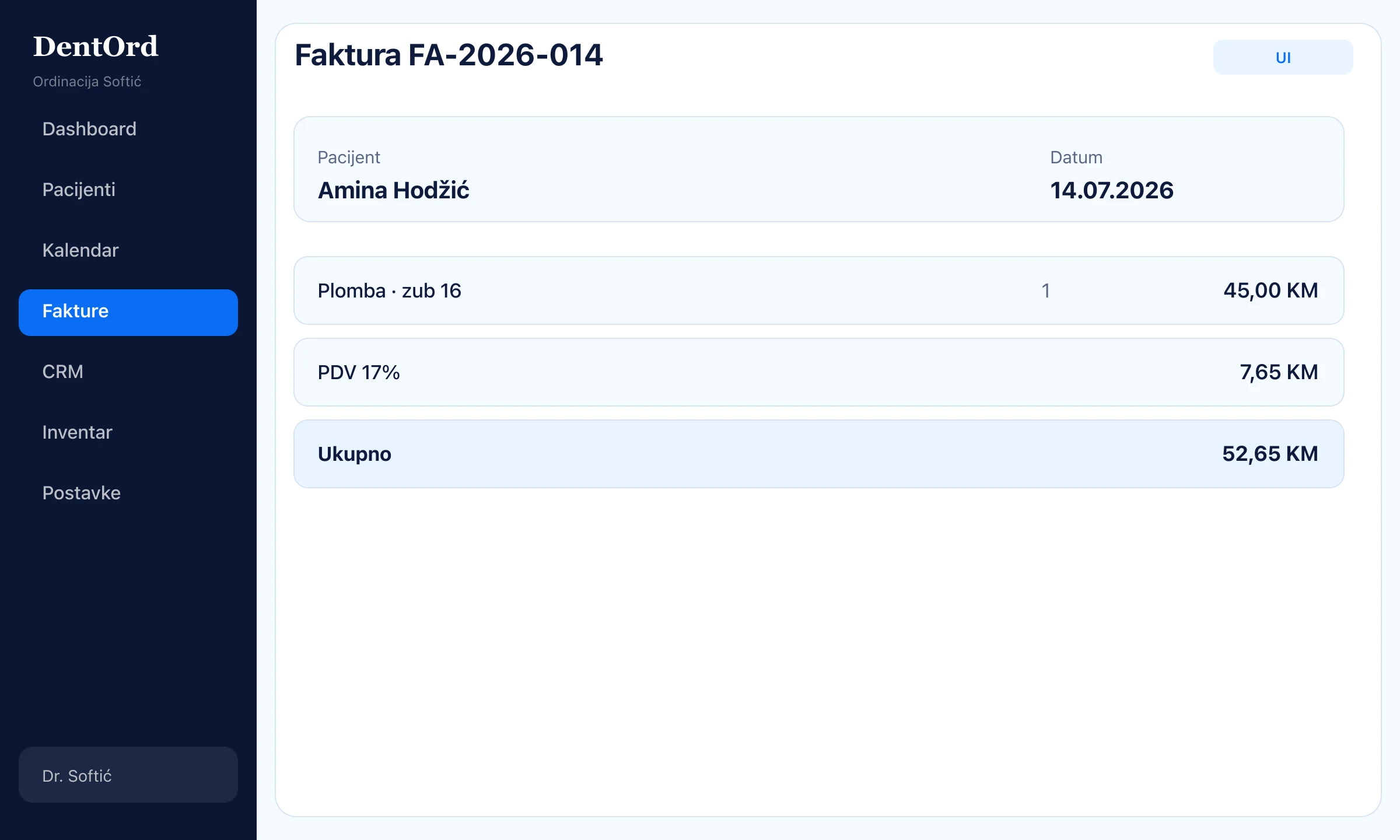
- 2
Finance
Payments and installments
Record payments or split into installments — the calculator replaces spreadsheets.
- 1Partial payments
- 2Installment plan
app.dentord.com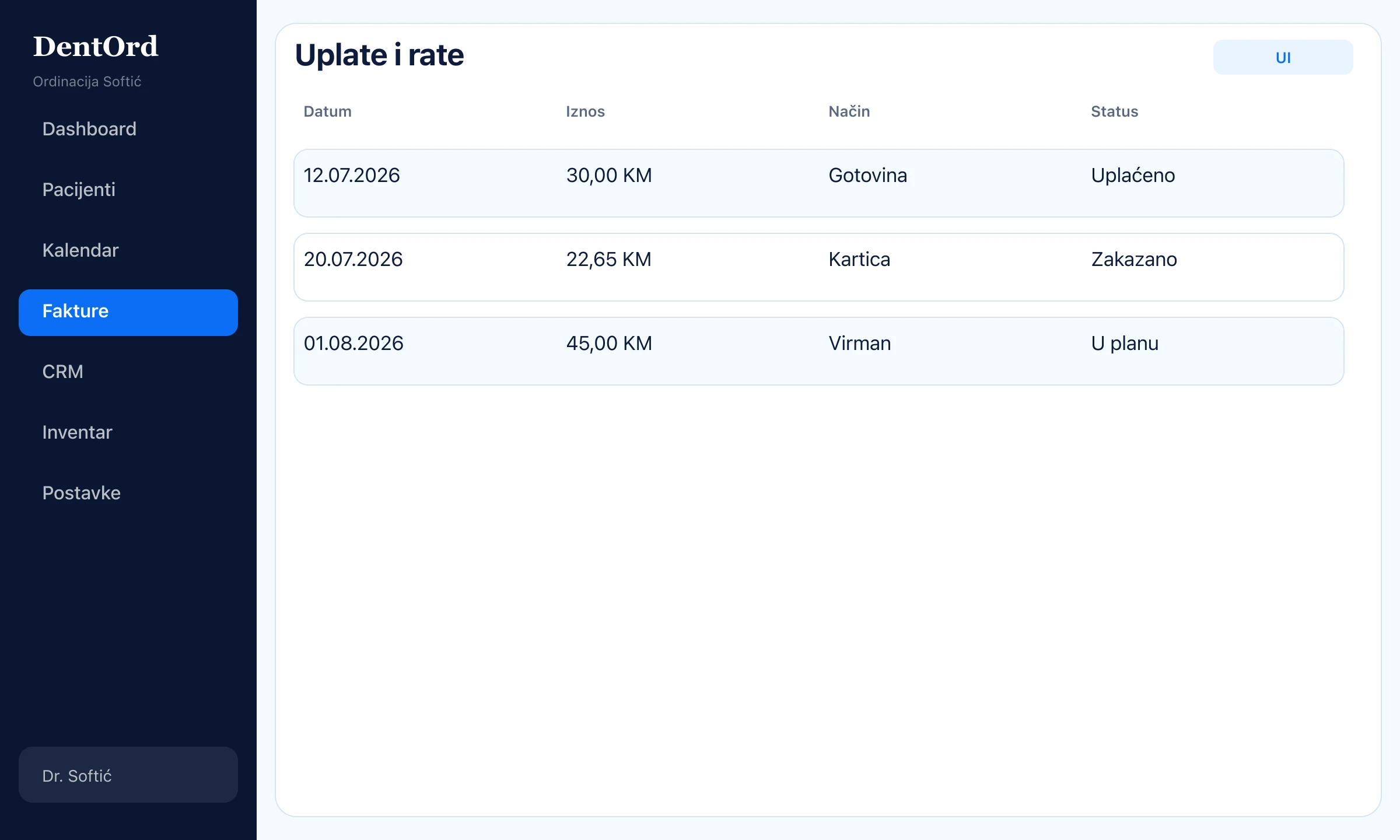
- 3
Finance
Reports and Excel
Monthly revenue, expenses, and Excel export for accounting.
- 1Period overview
- 2Excel export
app.dentord.com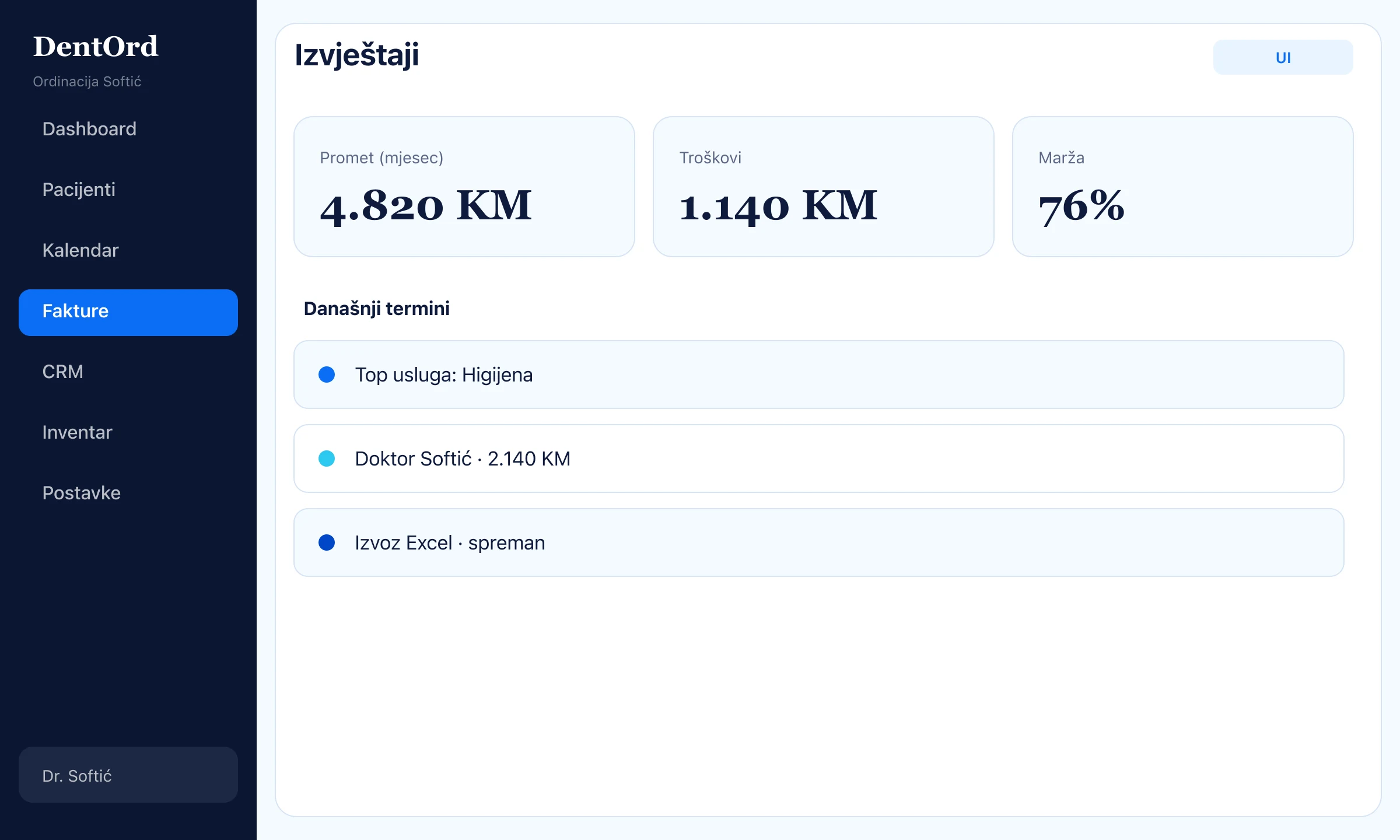
Everyday work
~2 min- 1
Ops
Morning dashboard
Today’s appointments, new patients, and revenue — one screen before the first patient.
- 1KPI cards
- 2Appointment list
- 3Quick links
app.dentord.com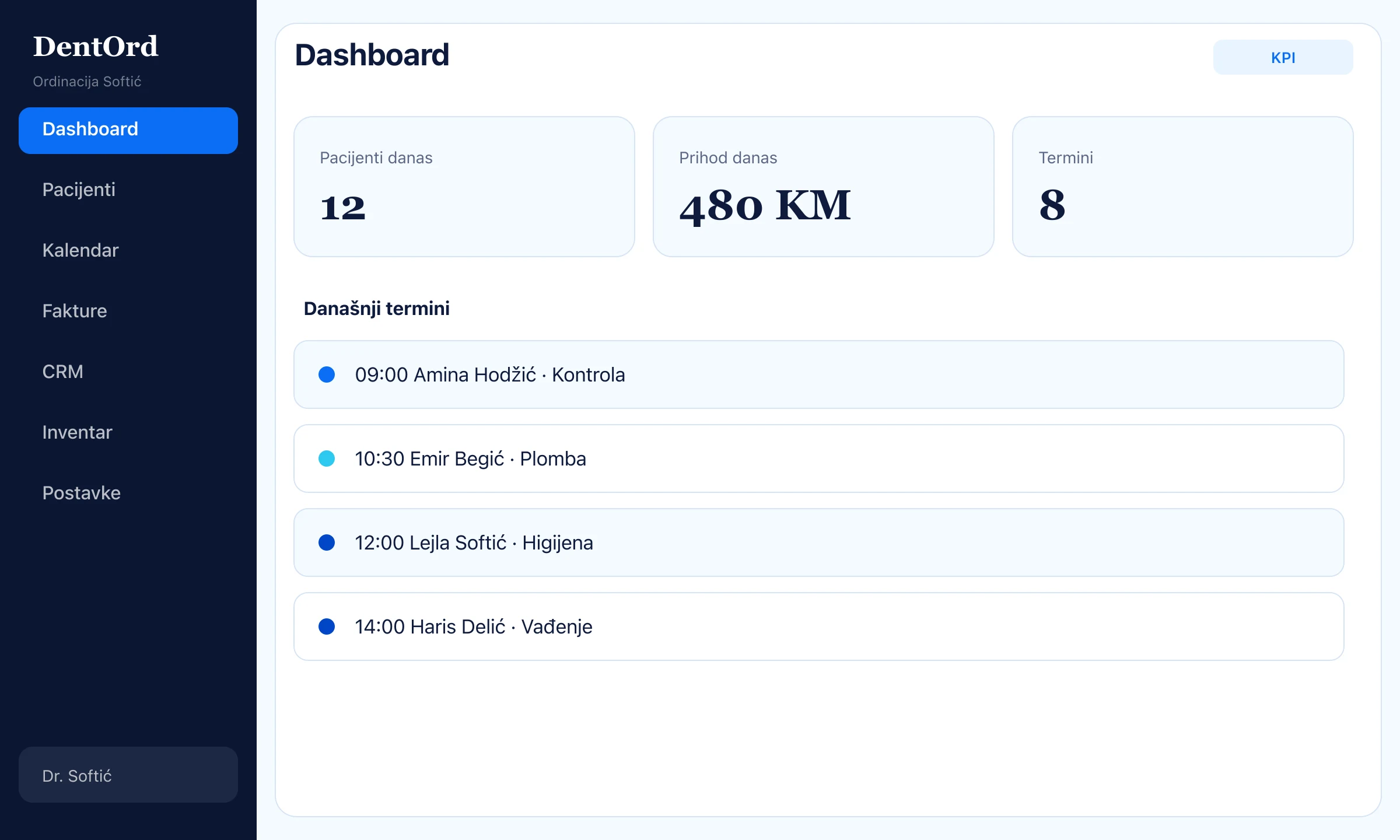
- 2
Ops
CRM recall
Patients who have not visited in a while — send an email in a few clicks.
- 1Recall list
- 2Email from template
app.dentord.com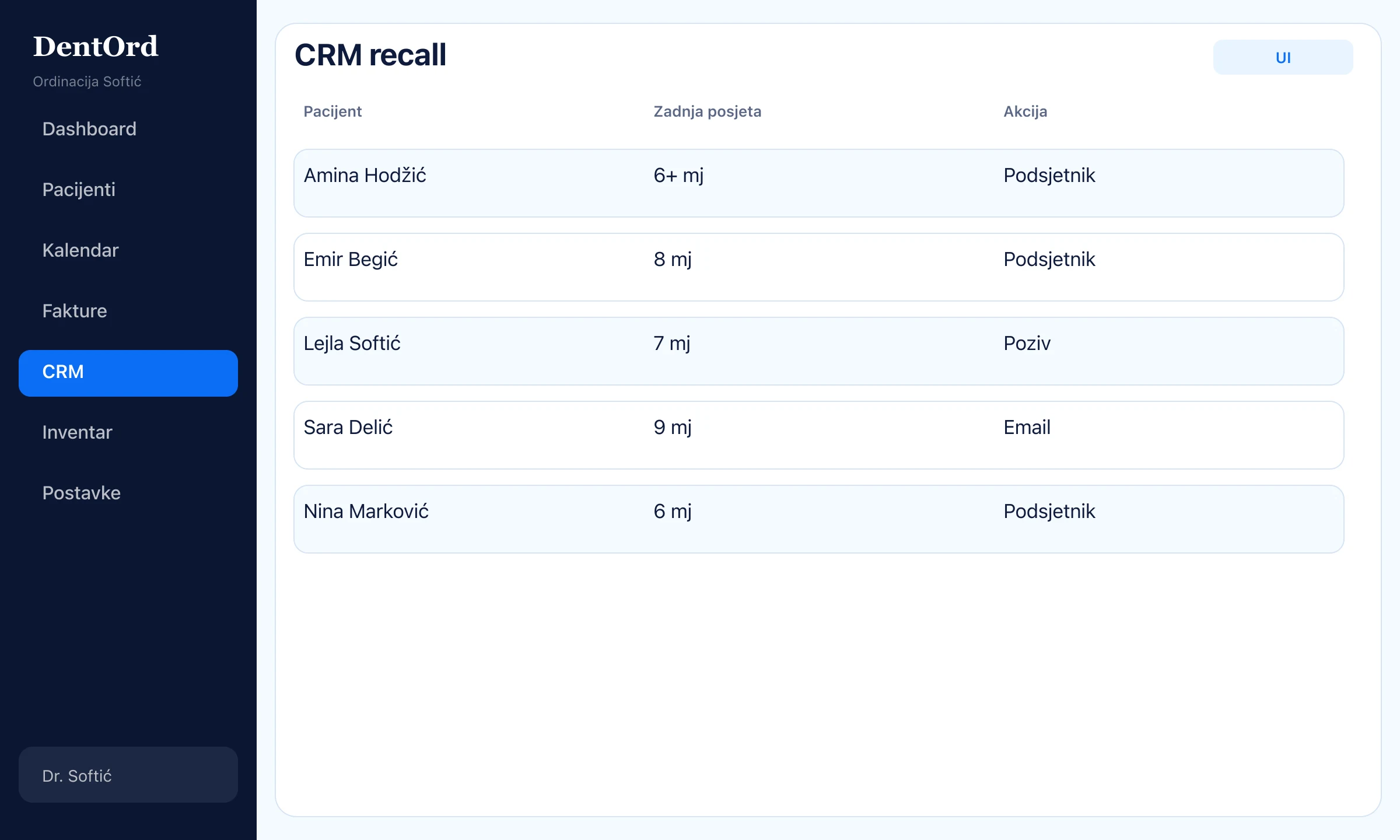
- 3
Ops
Inventory and minimums
Material stock with alerts when you drop below the minimum.
- 1Stock levels
- 2Low-stock badge
app.dentord.com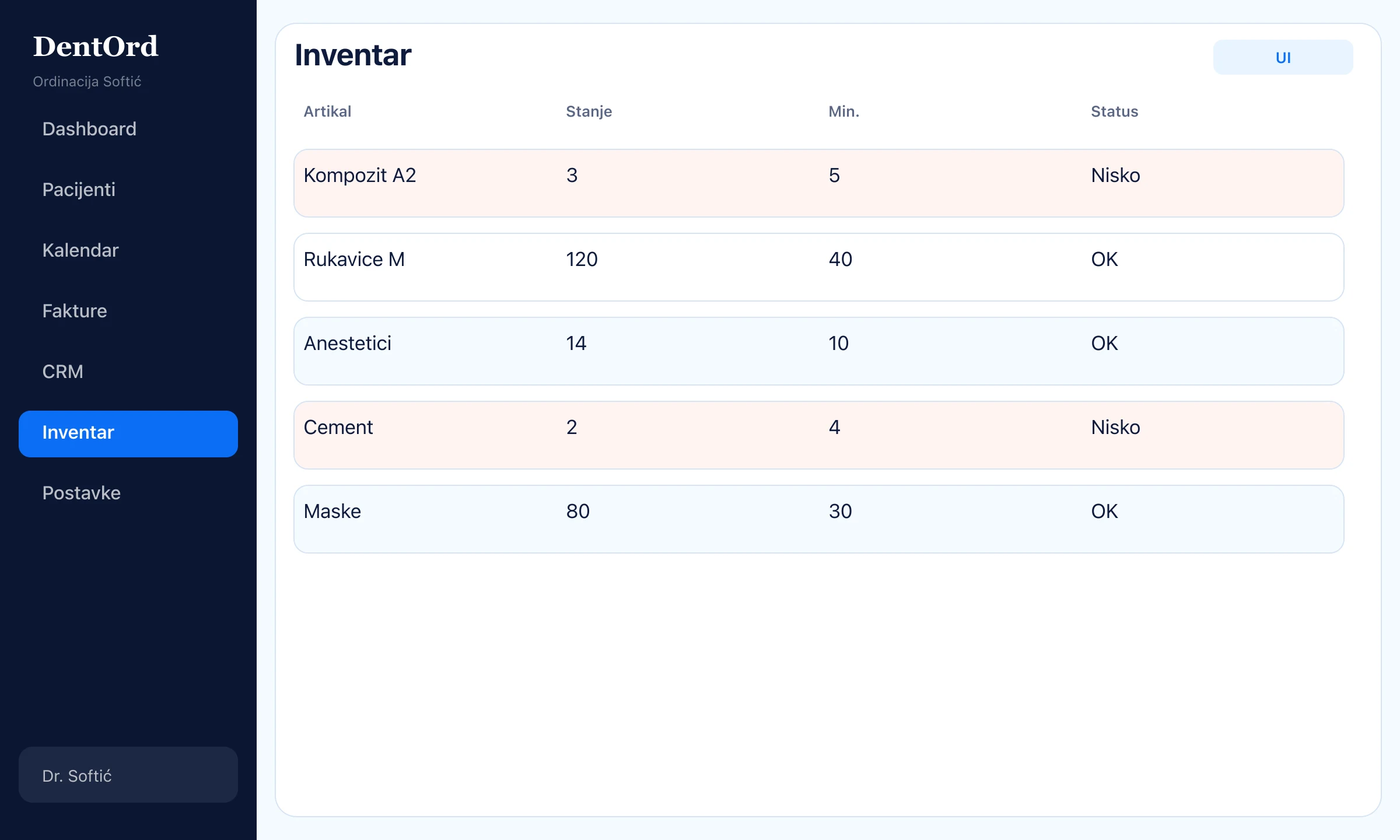
- 4
Ops
Roles and audit
Who sees what, who changed what — team settings and an activity trail.
- 1RBAC by role
- 2Audit events
app.dentord.com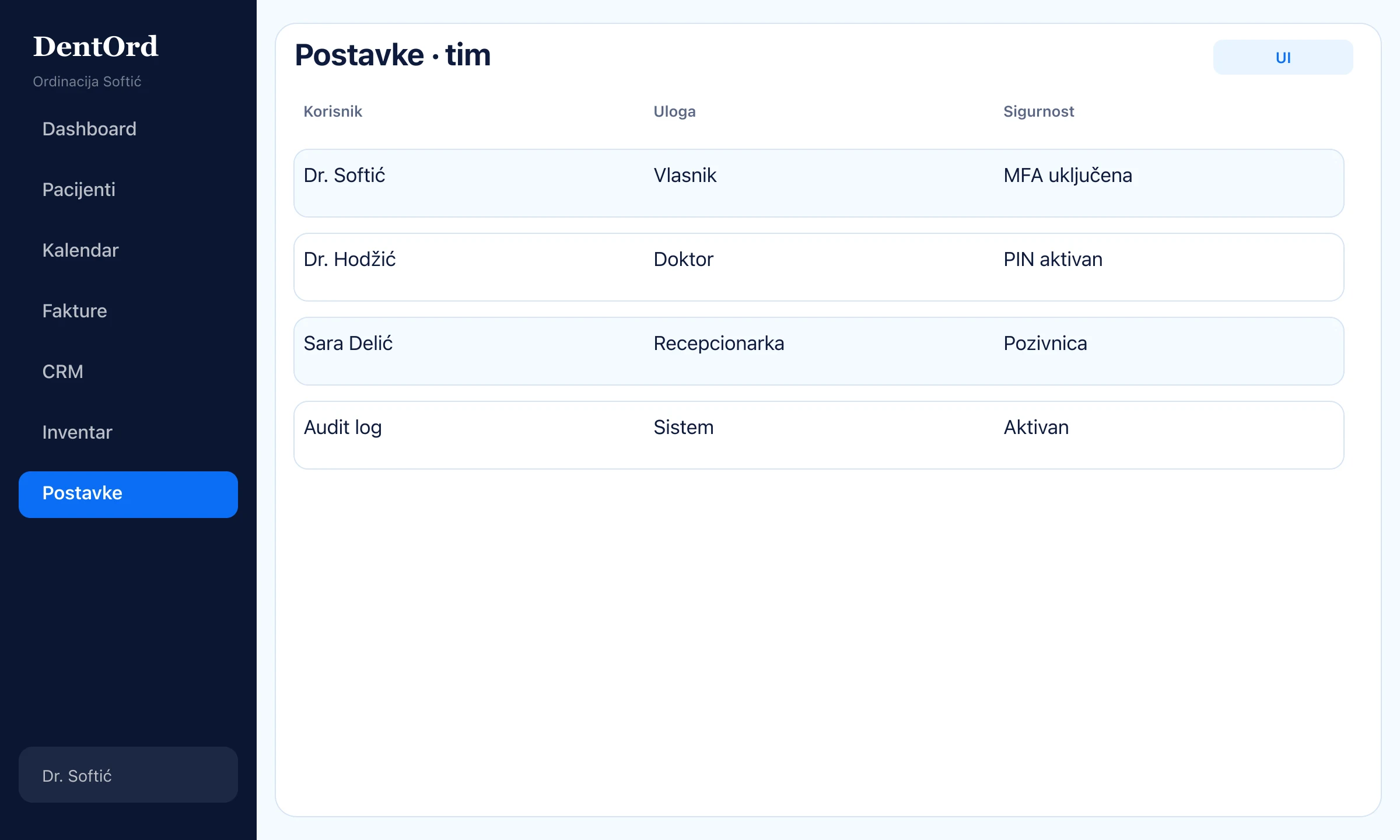
That's everything. Seriously.
Register your clinic and walk through these steps live — free through the end of 2026.
Free until Dec 31, 2026 · No card · Set up in 5 minutes